


TuneIn Radio: Music & Sports
4.7171.74K Reviews
App Specs
- Version
- Varies with Device
- Updated On
- License
- Free
- Downloads
- 100,000,000+
- Developer
- TuneIn Inc
- Categories
- Music & Audio
- Platform
- Android, iOS
Screenshots
 Analysis by AppCompare
I judge an audio app by a simple question: does it help me find something worth listening to without making me work for it? TuneIn Radio is most useful when I want a live voice, a local broadcast, a match commentary or a station from somewhere beyond my usual rotation. It is less compelling if all I want is tight control over a personal music library. That distinction matters more than the broad promise of having lots of audio in one place.
As a free music and audio app from TuneIn Inc, it brings together listening options that are often scattered across dedicated radio, sports and podcast apps. Its 4.7 average rating, drawn from around 2.8 million ratings, suggests it has found a large audience, and it has passed 100 million installs. Those figures tell me it is well established, but they do not guarantee that every station or event I want will be available where I live.
Choose it for listening, not for building a music library
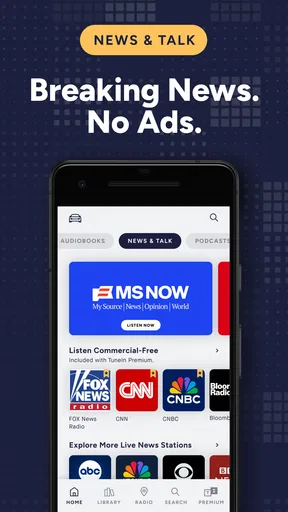
The first decision is whether I prefer a broadcast experience or an on-demand one. TuneIn’s strongest appeal is the feeling of turning on a station and letting someone else shape the next hour: a presenter, a news bulletin, a music format or live sports coverage. That suits commuting, cooking and other moments when choosing individual tracks feels like another small task.
Guides and Analysis on TuneIn Radio: Music & Sports
If I want to replay particular songs, arrange albums, or keep a carefully edited personal collection, a conventional music-streaming service is usually a better fit. Radio gives me variety and the possibility of stumbling across something unexpected, but it offers less direct control over exactly what plays next. I treat TuneIn as a companion to those services, not an automatic replacement.
Getting Started with TuneIn Radio
First things first, installing TuneIn Radio: Music & Sports was a breeze. A quick trip to the App Store, a couple of taps, and boom, I was ready to dive into a world of endless audio content. The app's interface is clean and intuitive, making navigation a walk in the park. Whether you're a tech whiz or someone who's still figuring out how to use their smartphone, you’ll find it easy to get around.
Music for Every Mood
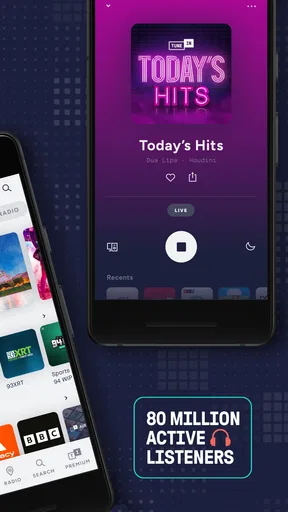
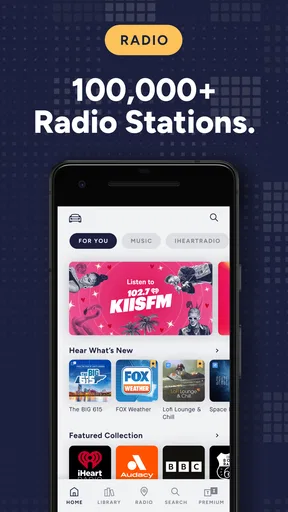
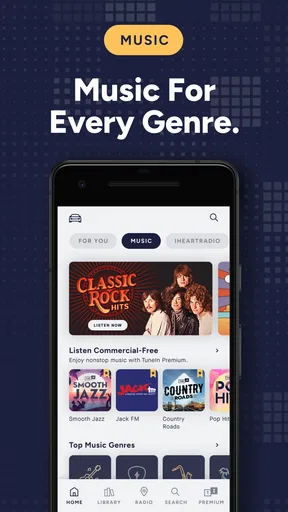
Now, let's talk music. TuneIn Radio is like having a DJ in your pocket. With over 100,000 stations, there’s something for everyone. Feeling nostalgic? Check out some golden oldies. Need to focus? There are plenty of stations dedicated to chill and instrumental tunes. The app even curates playlists based on popular genres, so you’re never short of options.
One feature I couldn’t help but love is the ability to save stations. I’ve got my morning coffee playlist ready to go every day, no more fiddling with my phone half-awake. And for those moments when you hear a song you just have to add to your personal playlist, the app’s song recognition feature is a lifesaver.
Worth Reading Before You Choose

Baby Panda World Brings Quick Play to Modern Phones, but Its Game Library Feels Busy

ESPN’s Live Game View Makes Following Close Games Easier

QuizzLand Review: A Good Fit for Short Trivia Breaks, Not Every Player

Basketball Stars: Multiplayer Is Fast, but Can It Recover When Matches Go Wrong?

WEBTOON Turns Phone Updates Into a Better Reading Routine

Link to Windows Runs on Shared Habits, Not Social Feeds
Stay Updated with Sports
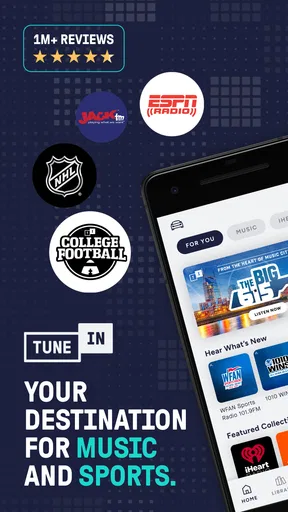
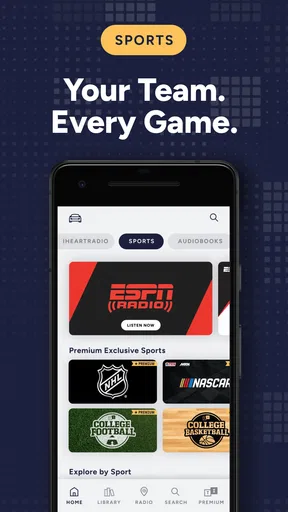
For sports enthusiasts, TuneIn Radio is a dream come true. I’m a huge football fan, and missing a game is simply not an option. With this app, I can catch live broadcasts of games, listen to expert commentary, and even tune into post-game analysis. It’s like having a sports bar in my pocket, minus the crowd and the noise.
Plus, the app covers a wide range of sports. Whether you're into baseball, basketball, or even less mainstream sports, there’s a good chance TuneIn has it covered. And the best part? You can set alerts for your favorite teams, so you never miss a beat.
Podcasts Galore
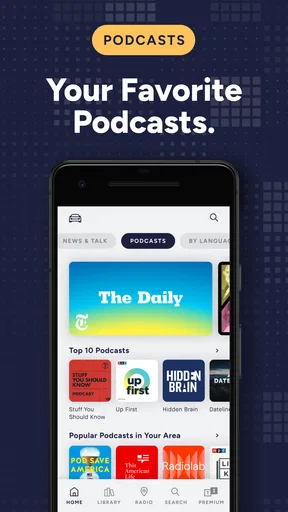
Beyond music and sports, TuneIn Radio offers a treasure trove of podcasts. From true crime to comedy, there's something to tickle everyone’s fancy. I recently got hooked on a tech podcast that I stumbled upon, and it’s now part of my daily routine. The app makes it easy to discover new podcasts with personalized recommendations based on your listening habits.
Know what the free version means for your routine
TuneIn is free to install, which makes it easy to try as a second radio app rather than committing to a new subscription straight away. The app also offers in-app purchases, with listed prices ranging from $0.99 to $149.99 per item. I would check the purchase screen carefully before paying: the existence of paid options does not mean every listener needs them, and the right choice depends on what content and access you personally want.
For a practical test, I would save a few stations I already know I enjoy, then search for one new subject or place. That quickly shows whether the app’s discovery approach suits me better than a conventional radio dial. If I only want one familiar local station, opening its own app or using a basic radio player may be simpler; if I want to switch between news, sports and music without juggling several apps, TuneIn has a clearer advantage.
Make live listening work in real life
A useful routine is to decide what I want before I leave home. A live station depends on a connection, so I would not assume that a broadcast will keep playing through a tunnel, a dead zone or a long stretch without service. When I expect unreliable reception, I choose something available for offline listening instead, if the app offers that option for the content I plan to use. This is a small habit, but it prevents a frustrating mid-journey scramble.
There is also a trade-off in live sports: radio commentary is excellent when I cannot watch a screen, but it is not the same as video or a written score feed. I can follow the atmosphere and the action through the announcer, yet I may prefer a league or team’s own service when I need visual coverage or a particular match detail. TuneIn makes more sense when listening is the point, not when I need every form of match information.
One everyday example is a weekday commute. I can begin with a news broadcast, switch to a music station when I want a lighter mood, then save a team station for the trip home. That variety is more useful than a huge catalogue on paper because each choice suits a different part of the day. It also makes saved stations more valuable than repeatedly searching: a small, deliberate set of favourites is quicker to use than an ever-growing list.
Where another audio app may be the better choice
People who mainly listen to albums or want exact control over queues should compare TuneIn with music-first services. Those apps are generally built around choosing a specific track or artist, while a radio-focused app asks me to accept a station’s flow. Likewise, a dedicated podcast app may be more comfortable for someone whose listening revolves around episode progress, subscriptions and a long queue. I would choose based on the task I do most, rather than expecting one app to be best at every kind of audio.
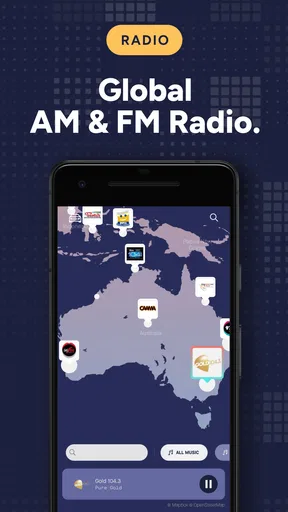
Local radio is another case where expectations matter. TuneIn can be a convenient way to look for stations beyond the ones I can receive over the air, but station availability and live sports access can vary. Before making it the only way I follow a local broadcaster or team, I would search for the specific station or event I care about. If it is missing, intermittent, or not the right broadcast, a station’s own app or a specialist sports source may serve that one need better.
The app is rated Teen, a detail parents and younger listeners may want to consider when deciding whether it is appropriate for a household device. For everyone, I would also treat recommendations as a starting point, not a guarantee that every suggestion will match my taste. The quickest way to make discovery useful is to save what works and move on from what does not, rather than spending a session trying to force a recommendation into my rotation.
User Experience and Accessibility
One thing I really appreciated about TuneIn Radio is its seamless user experience. The app is designed to be user-friendly, with features that enhance accessibility. Whether you’re using voice commands or navigating through touch, the app responds swiftly and accurately. For someone who’s always on the move, this kind of efficiency is a game-changer.
Moreover, the app’s offline feature is a lifesaver for those times when you're out of a Wi-Fi zone. Just download your favorite stations or podcasts, and you’re good to go wherever your adventures take you.
Small trade-offs before switching over
I would not replace every audio app on my phone on day one. Instead, I would keep TuneIn alongside whatever I already use, save a handful of useful stations and see whether I return to them over the next week. That trial reveals more than browsing a large catalogue: it shows whether live radio fits my actual routine. If I rarely choose a broadcast after the novelty wears off, there is little reason to reorganize my listening around it.
It is also worth thinking about the difference between discovering a station and relying on it. A favourite can make a regular drive effortless, but a live stream is not a personal playlist that I can assume will follow the same order every time. I like that unpredictability when I want company or a change of pace; when I need a specific song or a predictable sequence for focused work, I reach for a more controlled option.
The current version is 40.9.1, and the app has been available since September 2, 2010. For me, the practical question is not how long it has existed but whether it makes my own listening easier today. I would start with the free download, check that my preferred stations and sports coverage are accessible, and only then decide whether any in-app purchase is worthwhile.
Final Thoughts
All in all, TuneIn Radio: Music & Sports has exceeded my expectations. It’s not just an app; it’s a lifestyle upgrade. Whether you’re a music lover, a sports fanatic, or a podcast junkie, TuneIn has something for you. With its vast content library, user-friendly design, and personalized features, it’s a must-have for anyone looking to elevate their audio experience.
If you haven't checked it out yet, what are you waiting for? Dive into the world of TuneIn and let your ears explore the endless possibilities. Trust me, you won’t regret it.
My recommendation
I recommend TuneIn most to people who enjoy radio as radio: listeners who value presenters, live coverage, station variety and the chance of finding a new broadcast while doing something else. It can also be a practical option for someone who wants music, talk and sports in one listening place without making a personal playlist for every mood.
I would skip it as my main audio app if I need precise song selection, dependable access to a particular event, or a carefully managed podcast queue above all else. Those needs are better served by a specialist app built around them. For everyone else, trying TuneIn alongside an existing music service is a sensible, low-pressure way to see whether its live-radio approach earns a regular spot on the phone.
Pros
- Wide variety of stations available.
- User-friendly interface and navigation.
- High-quality audio streaming.
- Personalized content recommendations.
- Supports podcasts and live sports.
Cons
- Contains frequent ads in free version.
- Limited offline listening options.
- Some stations may have regional restrictions.
- Premium version can be expensive.
- Occasional buffering issues.
FAQs for TuneIn Radio: Music & Sports
What features does TuneIn Radio offer?
TuneIn Radio provides a vast selection of live sports, music, news, and podcasts. Users can access over 100,000 real radio stations and millions of on-demand programs. The app also offers exclusive content, personalized recommendations, and the ability to pause and rewind live radio. Premium users can enjoy ad-free listening and live sports coverage.
Is TuneIn Radio free to use?
Yes, TuneIn Radio offers a free version that includes access to a wide range of radio stations and podcasts. However, there is also a premium subscription available, called TuneIn Premium, which provides additional features such as ad-free listening, offline content, and exclusive sports coverage. Subscription costs may vary by region.
Can I listen to TuneIn Radio offline?
Offline listening is available through TuneIn Premium. This feature allows users to download specific content for offline playback, which is beneficial for those on the go or in areas with limited internet access. However, live radio streams require an internet connection, even for Premium users.
How does TuneIn Radio handle user privacy?
TuneIn Radio is committed to user privacy and follows strict guidelines to protect personal information. The app collects data to enhance user experience, such as listening habits for personalized recommendations. Users can manage their privacy settings and opt out of certain data collection practices through the app's settings menu.
Is TuneIn Radio available on all devices?
TuneIn Radio is available on a wide range of devices, including Android and iOS smartphones and tablets. It is also compatible with smart speakers, smart TVs, and in-car systems. The app can be downloaded from the Google Play Store and the Apple App Store, providing versatile access across multiple platforms.


